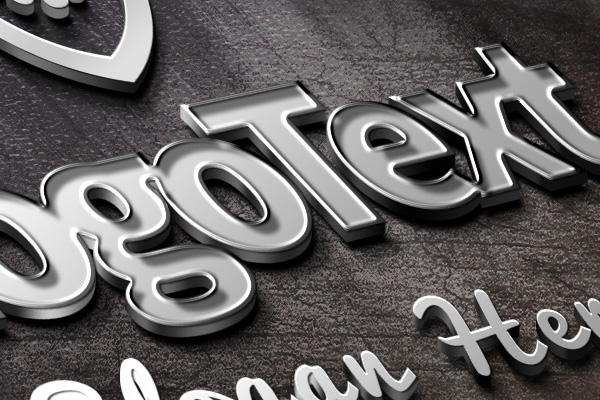
Friends, today’s design free file is something very interesting and creative. As you can see it’s a photo-realistic metal logo mockup in Photoshop PSD format. Using this freebie, you can quickly create your own perspective logo concepts in 3D embossed steel and present them to your clients!
The PSD files comes with smart object layers. This will help you easily replace your own logo graphics, text or slogan based on your logo. Here’s a quick list of instructions as to how you can create your own logo mockups.
How to use mockup to display your Logo
1. Download and open the PSD file (logo-mockup.psd) in Photoshop.
2. Double-click on the smart object layers — ADD LOGO ICON, ADD LOGO TEXT, ADD SLOGAN HERE — and replace / add your logo graphic and text in the respective layer documents.
3. After you are done, just save the docs files.
4. The mockup replaces with your logo design. Quick and awesome right!
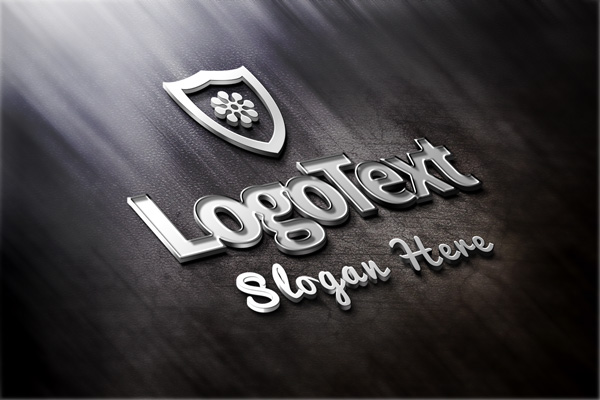
Actual View Screenshot

Author: Rafi
File Resolution: 1500×1000 pixels
File Format: PSD
Keywords: Logo Mockup, PSD files
Size: 9.79MB (zip)
License: Royalty-free, Free for personal and commercial use
Download Elegant Metallic Logo Mockup (PSD)
Related Posts :
- Wooden Shelf Display Mockup (PSD)
- Business Card Template & Mockup (PSD)
- Valentine's Day Greeting Card and Mockup (PSD)
- Pinned Paper Note PSD Mockup


12 Comments-
john do
May 14, 2013
-
Rafi
May 14, 2013
-
Adrian
May 2, 2013
-
Mike
April 7, 2013
-
Graphiste webdesigner
April 6, 2013
-
Sudhir
March 29, 2013
-
Fay Merrett
March 6, 2013
-
Lucinda
February 9, 2013
-
mahmoodzamani|tehran-graph.com
February 6, 2013
-
Rashida
January 28, 2013
-
John
January 28, 2013
-
maryam
January 27, 2013
don,t works on photoshop 7 i see no smart object layers
John, the file works on CS series. Thanks!
REALLY great design and helpful to see how this was achieved as much as the end product. Thank you.
Just in case (like me for some weird reason) you don’t have the correct font and Photoshop throws up an error message, it can be downloaded free from here (it’s free for commercial use): http://www.1001fonts.com/source-sans-pro-font.html#styles
Mine will not work, I edit the logo text and change it, then I save it but the the logo text is missing. This happens to the slogan and the logo, I am just left with bg and background image. What could I be doing wrong?
Nice job, thanks a lot !
good Web site In Work
Fantastic work – thanks for sharing!
Wow, this works incredible!!!!! The directions were so easy. Thank you for such an awesome PSD!!!!!
WoW!!Great Mockup:d
really nice!!!!
helps me in various way in creating Graphics.
Stunning Work, THANK YOU!
this absolutely beautiful work. really great design and implementation . its fantastic thanks so much for sharing